Note: This article was originally published on the Docker blog.
Memgraph is an open source, in-memory graph database designed with real-time analytics in mind. Providing a high-performance solution, Memgraph caters to developers and data scientists who require immediate, actionable insights from complex, interconnected data.
Architecture of Memgraph
The high-speed performance of Memgraph can be attributed to its unique architecture. Centered around graph models, the database represents data as nodes (entities) and edges (relationships), enabling efficient management of deeply interconnected data.
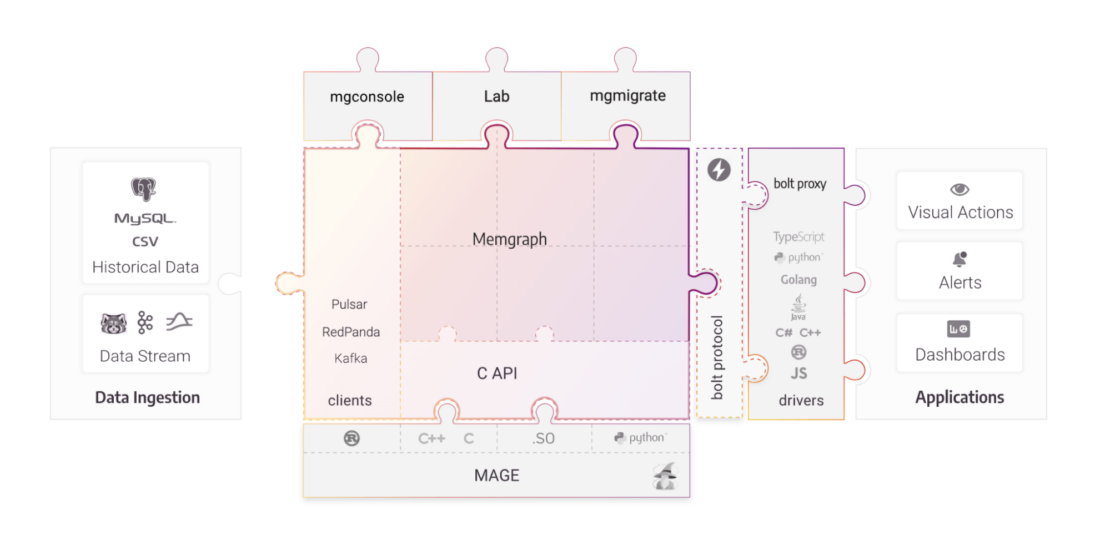
The key components of Memgraph’s architecture are:
- In-memory storage: Stores data in RAM for low-latency access, ensuring high-speed data retrieval and modifications.
- Transaction processing: Supports ACID transactions, guaranteeing reliable processing and data integrity.
- Query engine: Uses Cypher, a popular graph query language that’s declarative and expressive.
- Storage engine: Provides data durability by persisting data on disk.
- High availability and replication: Automatically replicates data across multiple machines.
- Streaming and integration: Connects with various data streams and integrates with different types of data sources.
Memgraph comprises several key components:
- MemgraphDB: The heart of the Memgraph system, handling concurrency, consistency, and scaling.
- Mgconsole: A command-line interface used to interact with Memgraph.
- Memgraph Lab: A visual user interface for running queries and visualizing graph data.
- MAGE: An open source library of graph algorithms and custom Cypher procedures.
Memgraph offers four different Docker images: memgraph-platform, memgraph-mage, memgraph, and MAGE x NVIDIA cuGraph. With more than 10K downloads from Docker Hub, Memgraph Platform is the most popular.
Why Run Memgraph as a Docker Extension?
Running Memgraph as a Docker Extension offers a streamlined experience to users already familiar with Docker Desktop. Docker provides an ideal environment to bundle, ship, and run Memgraph in a lightweight, isolated setup. Docker Desktop is the only prerequisite to run Memgraph as an extension.
Getting Started
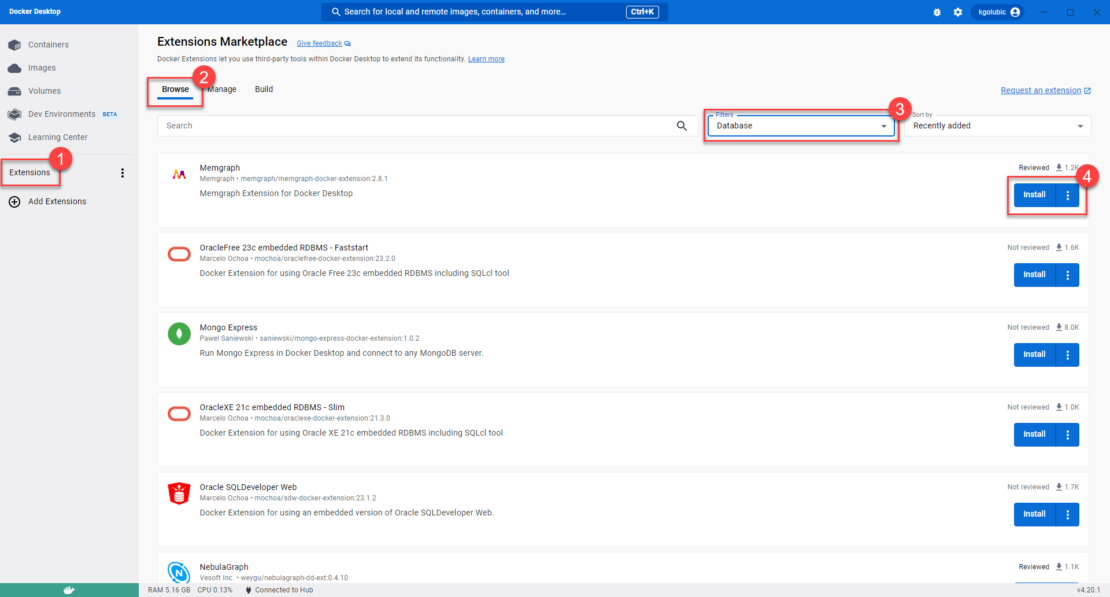
- Choose Extensions in the left sidebar of Docker Desktop.
- Switch to the Browse tab.
- In the Filters drop-down, select the Database category.
- Find Memgraph and select Install.
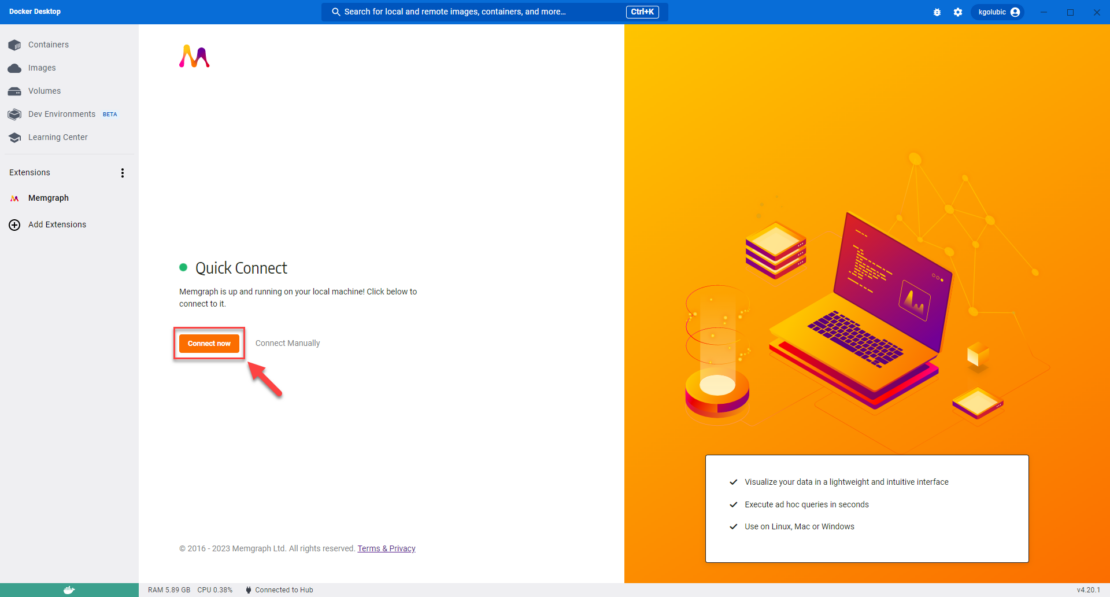
Once the installation is finished, select Connect now.
Importing the Pandora Papers Dataset
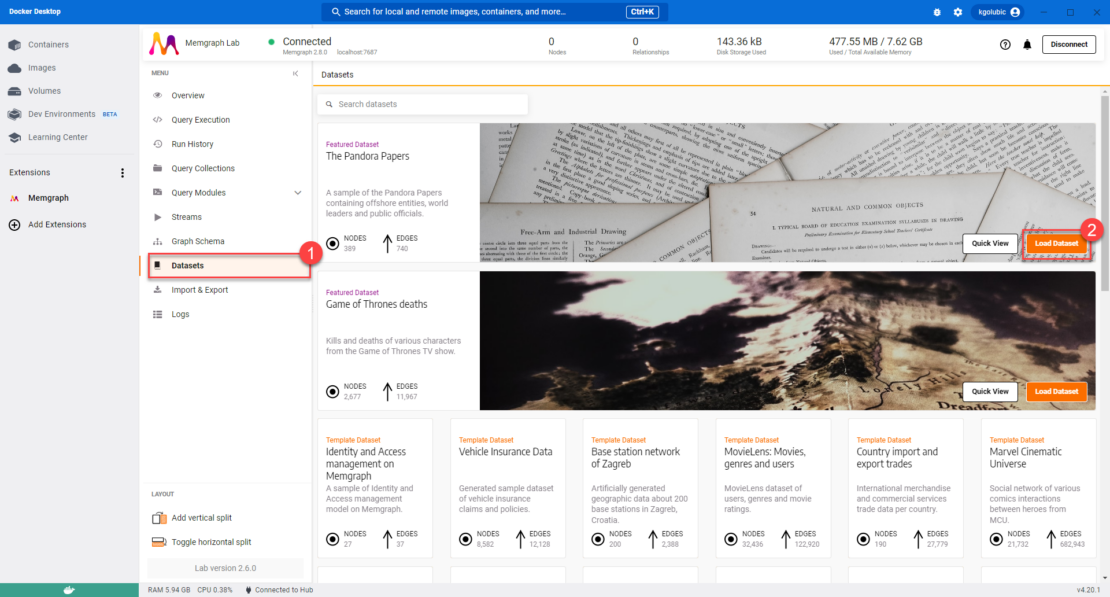
Choose Datasets in the Memgraph Lab sidebar and then Load Dataset.
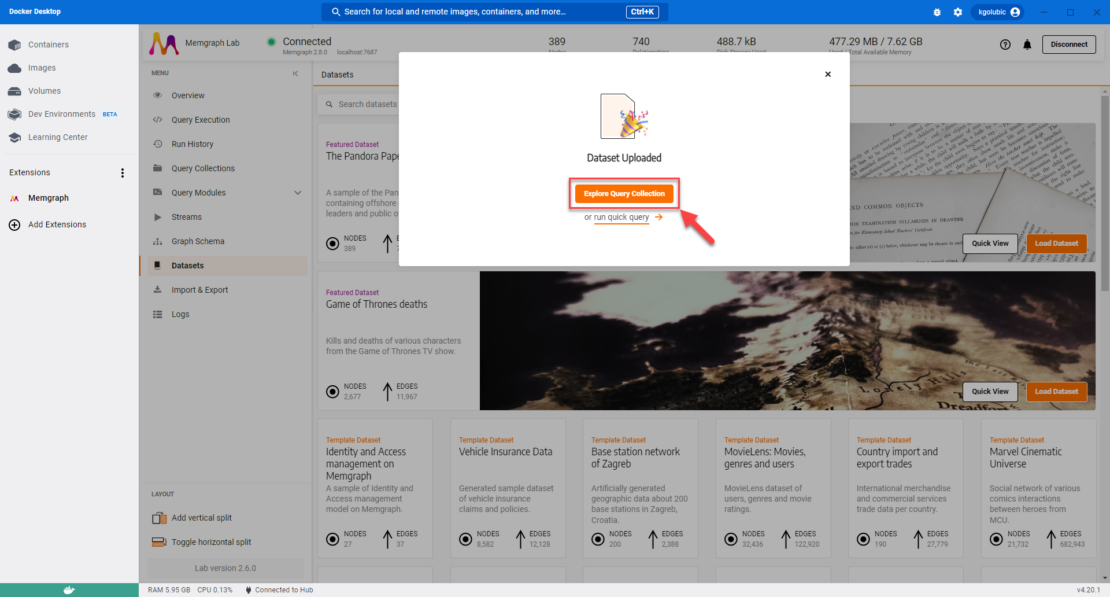
Select Explore Query Collection to access predefined queries.
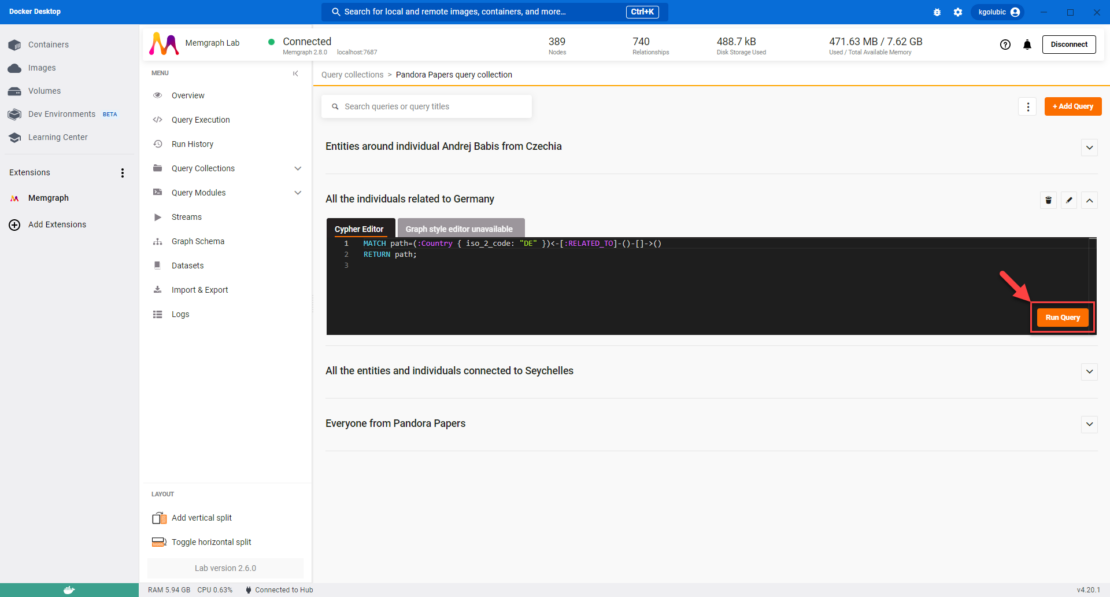
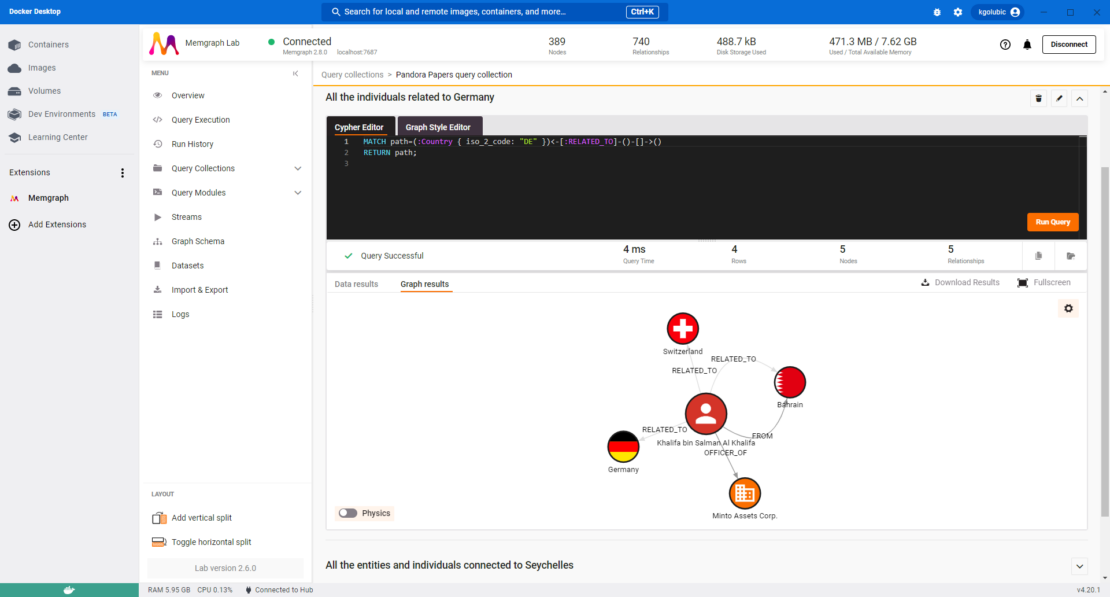
Choose a query and select Run Query.
Conclusion
Memgraph, as a Docker Extension, offers an accessible, powerful, and efficient solution for anyone seeking to leverage real-time analytics from a graph database. With the integration of Docker, the setup and use of Memgraph become remarkably straightforward.
Install it on Docker Desktop and start exploring the intriguing world of graph databases today.
Learn More
- Install Memgraph’s Docker Extension
- Get the latest release of Docker Desktop
- Docker community